Objects in JavaScript

JavaScript has 7 data types to store data.
Namely:
String
Number
Boolean
Null
Undefined
Symbol
Object
Out of these, the first 6 are primitive data types, while the last one:
Object
is a non-primitive data type.
Today we are covering:
Objects in JavaScript
We have already talked about the other primitive data types in another blog. Check that out if you haven’t yet.
What Are Objects?
We have already seen how to store:
linear data using arrays
text using strings
numbers using number data type
empty values using
nullundefined values using
undefinedunique identifiers using
symbol
But real-world data is usually not that simple.
Most of the time, data exists in:
key : value
pairs.
Real World Example
Suppose:
Student Rahul got 95 marks.
How are we going to store this data?
One may argue:
“Store all marks in an array and let index represent the student.”
Example:
const marks = [95, 87, 76];
But what happens if we:
sort the array
remove values
insert new students
Now indexes change.
Again we have to manually map:
student ↔ index
which is:
difficult
error-prone
not scalable
And if data becomes multi-level, arrays alone are not enough.
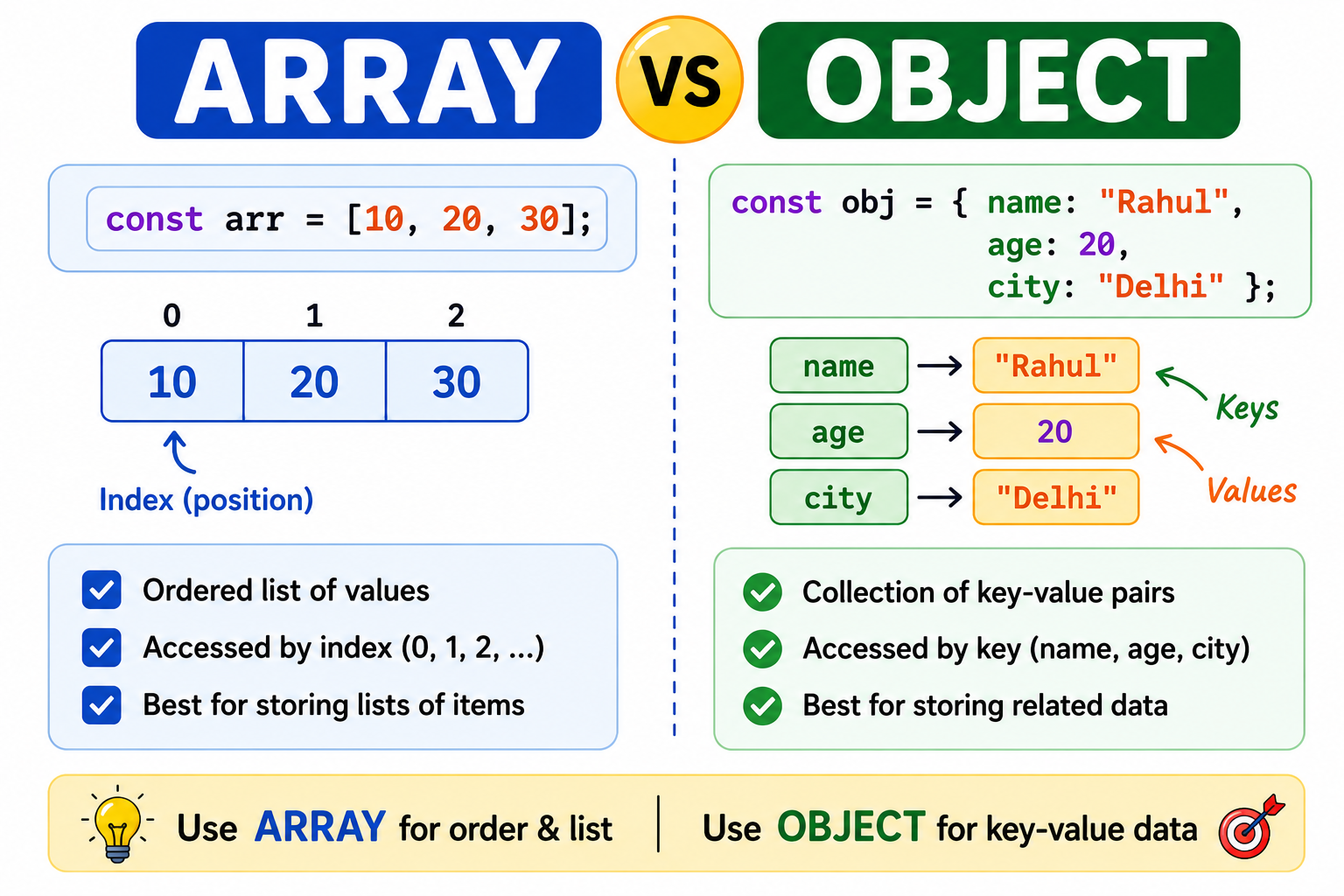
That is why JavaScript provides, Objects
Objects
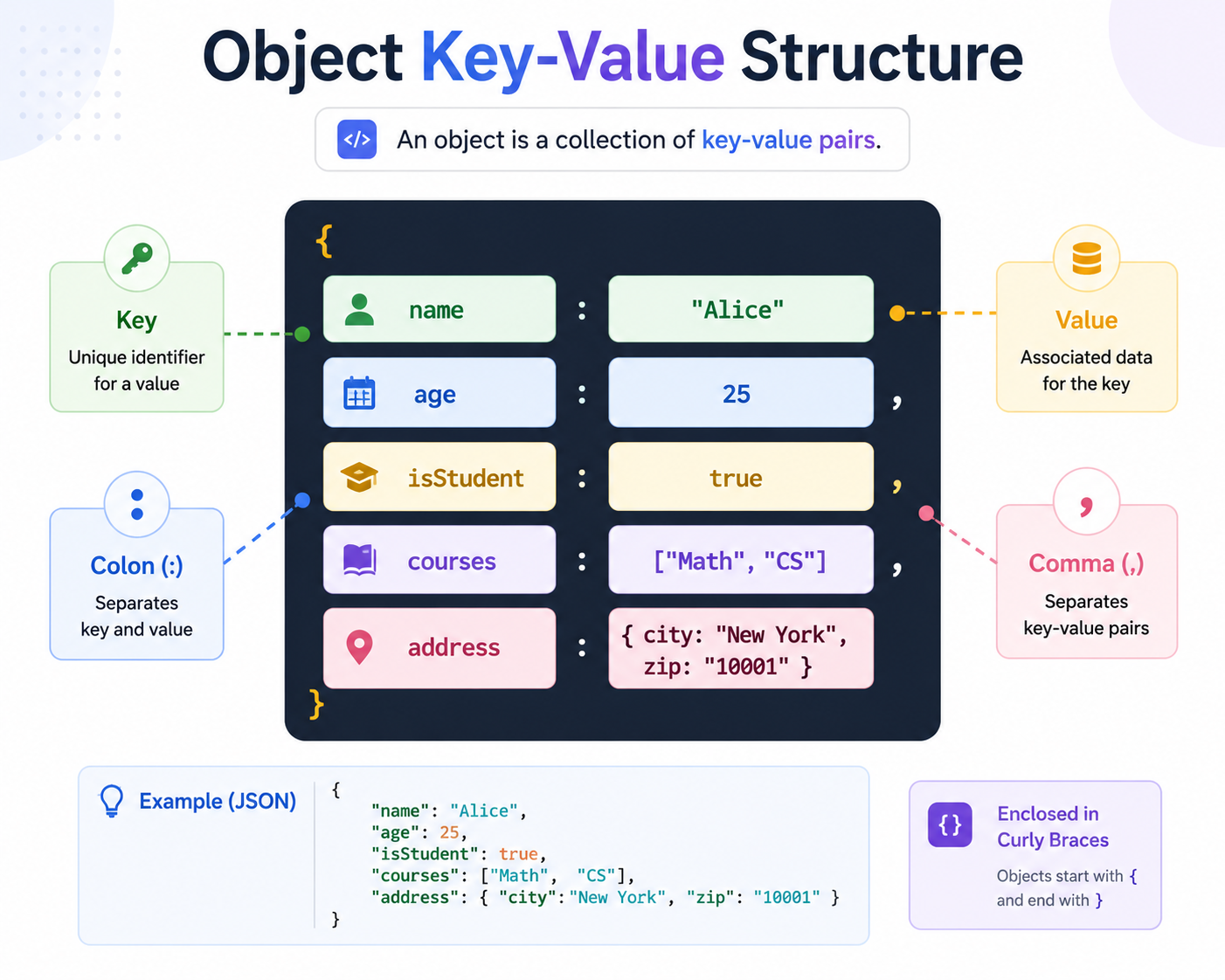
Objects help us store data in:
key : value
format.
Creating Objects
Example
const student = {
  name: "Rahul",
  marks: 95,
  city: "Delhi"
};
Here:
| Key | Value |
|---|---|
name |
"Rahul" |
marks |
95 |
city |
"Delhi" |
Here is a simple example, when keys are simple strings but what if they contain spaces or special characters?
In this case we store key using " " or ' ' .
const student = {
  "stduent name": "Rahul",
  "student-marks": 95,
  'student city': "Delhi"
};

console.log(student);
{
  'stduent name': 'Rahul',
  'student-marks': 95,
  'student city': 'Delhi'
}
Accessing Data in Objects
Object Example
const student = {
  name: "Rahul",
  marks: 95
};
Using Dot Notation
console.log(student.name);
console.log(student.marks);
Output
Rahul
95
Bracket Notation [ ]
Keys are not always simple strings.
Sometimes keys can be:
numbers
strings with spaces
strings with special characters
Example:
const obj = {
  "first-name": "Rahul",
  1: "One"
};
Now dot notation will not work properly.
Wrong:
obj.first-name
So in such cases we use:
[ ]
Example
const obj = {
  "first-name": "Rahul",
  1: "One"
};

console.log(obj["first-name"]);
console.log(obj[1]);
Output
Rahul
One
Updating and Adding Object Properties
Just like we access values using keys, we can also:
update values
add new properties
Updating Existing Property
const student = {
  name: "Rahul",
  marks: 95
};

student.marks = 99;

console.log(student);
Output
{
  name: "Rahul",
  marks: 99
}
Adding New Property
const student = {
  name: "Rahul"
};

student.city = "Delhi";

console.log(student);
Output
{
  name: "Rahul",
  city: "Delhi"
}
Deleting Object Property
We can remove properties using:
delete
Example
const student = {
  name: "Rahul",
  marks: 95
};

delete student.marks;

console.log(student);
Output
{
  name: "Rahul"
}
Looping Over Object Keys and Values
So far we have seen how to:
create objects
add properties
update properties
delete properties
But what if we want to access:
every key
every value
or both
and perform some operation?
Are we going to do it manually?
No.
JavaScript provides built-in methods for this.
Object.keys()
Returns all keys of an object as an array.
Example
const student = {
  1: "rahul",
  2: "aman",
  3: "priya"
};

console.log(Object.keys(student));
Output
["1", "2", "3"]
Object.values()
Returns all values of an object.
Example
const student = {
  1: "rahul",
  2: "aman",
  3: "priya"
};

console.log(Object.values(student));
Output
["rahul", "aman", "priya"]
Performing Operation on Object Values
Now let us perform a simple operation.
We will:
create an object
keys as numbers
values as strings
convert all values into uppercase
Example
const students = {
  1: "rahul",
  2: "aman",
  3: "priya"
};

const values = Object.values(students);

const upperCaseValues = values.map((value) =>
  value.toUpperCase()
);

console.log(upperCaseValues);
Output
["RAHUL", "AMAN", "PRIYA"]
Explanation
First:
Object.values(students)
returns:
["rahul", "aman", "priya"]
Then using:
map()
we convert every string into uppercase using:
toUpperCase()
Summary
Today we learned:
What objects are
Why objects are needed
Creating objects
Accessing object values
Dot notation vs bracket notation
Adding properties
Updating properties
Deleting properties
Looping over object keys and values
Performing operations on object values


