Destructuring in JavaScript

A code writing style that is loved by developers.
And after this blog, you will be in the same bucket.
Without Destructuring
Suppose we have an object:
const user = {
  name: "Rahul",
  age: 22
};
Normally, this is how we access values:
console.log(user.name);
console.log(user.age);
This is what most beginners do.
With Destructuring
But this is what senior developers usually do:
const { name, age } = user;

console.log(name);
console.log(age);
That is:
Destructuring
Destructuring means:
Extracting multiple values from arrays or objects and assigning them to variables simultaneously.
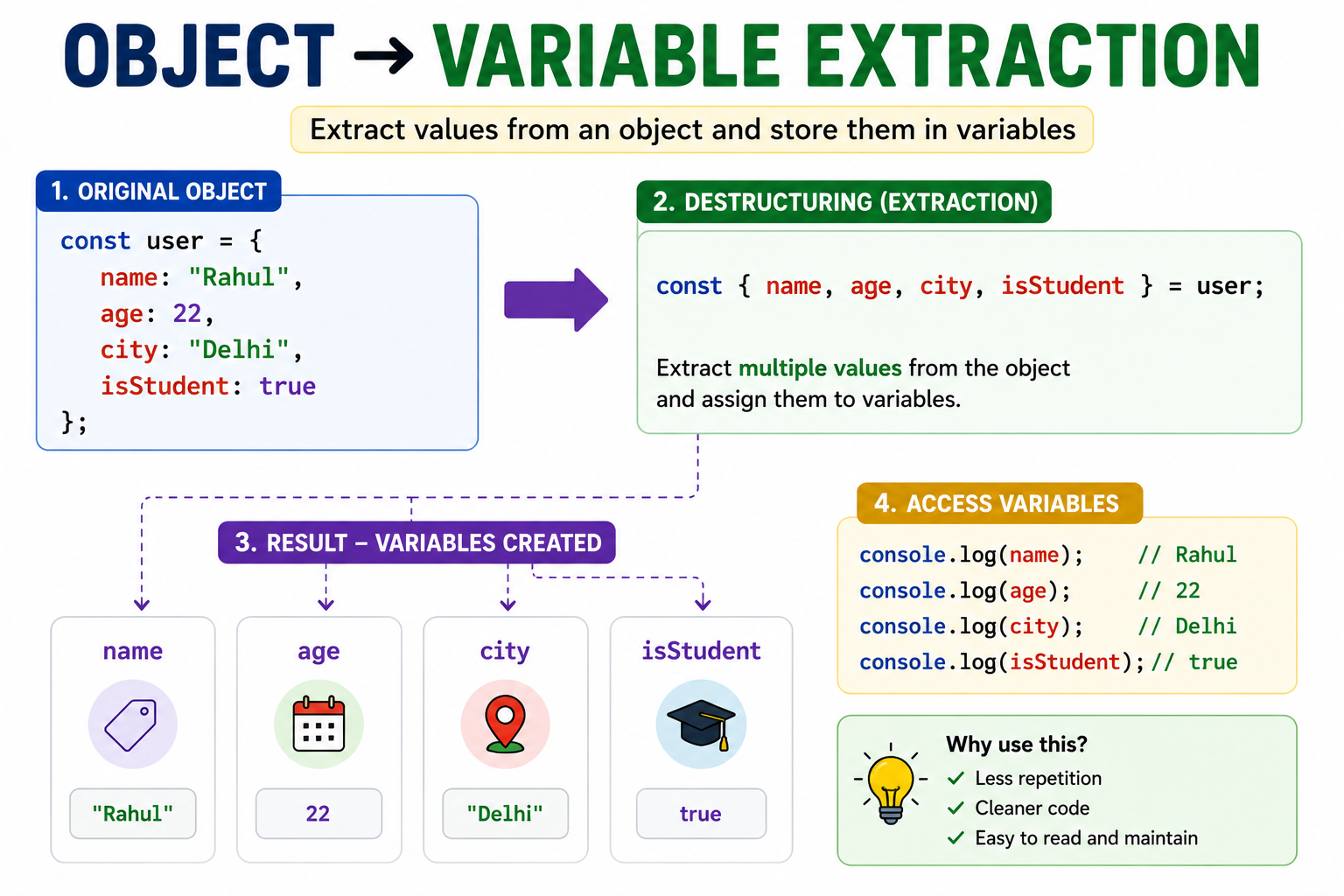
Benefits of Destructuring
Less repetition
Cleaner code
More readable syntax
Faster access to values
Commonly used in modern JavaScript frameworks
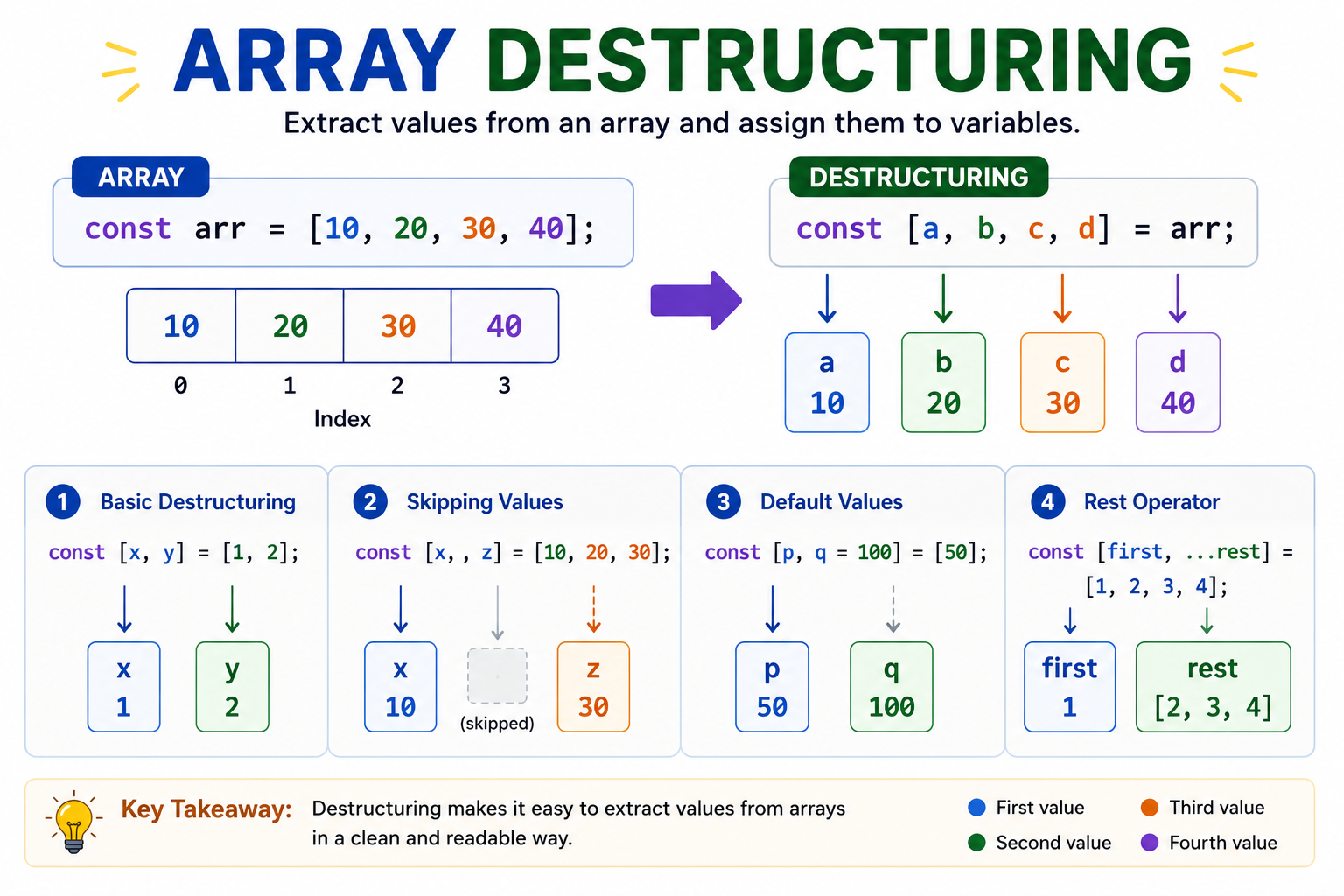
Destructuring Arrays
Suppose we have:
const arr = [10, 20, 30];
Basic Array Destructuring
const [a, b, c] = arr;

console.log(a);
console.log(b);
console.log(c);
Output
10
20
30
Skipping Values
Sometimes we do not want all values.
const arr = [10, 20, 30, 40];

const [a, , c] = arr;

console.log(a);
console.log(c);
Output
10
30
Notice:
,
is used to skip values.
Default Values
const arr = [10];

const [a, b = 50] = arr;

console.log(a);
console.log(b);
Output
10
50
Since second value does not exist, default value is used.
Rest Operator
const arr = [10, 20, 30, 40];

const [a, ...rest] = arr;

console.log(a);
console.log(rest);
Output
10
[20, 30, 40]
...rest collects remaining values into an array.
Object Destructuring
Suppose we have:
const user = {
  name: "Rahul",
  age: 22,
  city: "Delhi"
};
Basic Object Destructuring
const { name, age } = user;

console.log(name);
console.log(age);
Output
Rahul
22
Renaming While Destructuring
Sometimes we want variable names different from object keys.
const user = {
  name: "Rahul",
  age: 22
};

const { name: userName, age: userAge } = user;

console.log(userName);
console.log(userAge);
Output
Rahul
22
Here:
name → userName
age  → userAge
Default Values in Objects
const user = {
  name: "Rahul"
};

const { name, city = "Delhi" } = user;

console.log(name);
console.log(city);
Output
Rahul
Delhi
Since city does not exist in object, default value is used.
Nested Destructuring
Objects can contain objects inside them.
Example
const user = {
  name: "Rahul",
  address: {
    city: "Delhi",
    pin: 110001
  }
};
const {
  address: { city, pin }
} = user;

console.log(city);
console.log(pin);
Output
Delhi
110001
Summary
Today we learned:
What destructuring is
Array destructuring
Skipping values
Default values
Rest operator
Object destructuring
Renaming variables
Nested destructuring
Destructuring is one of the most loved features of modern JavaScript because it makes code:
shorter
cleaner
easier to read
Once you start using it regularly, going back to traditional access feels difficult.


